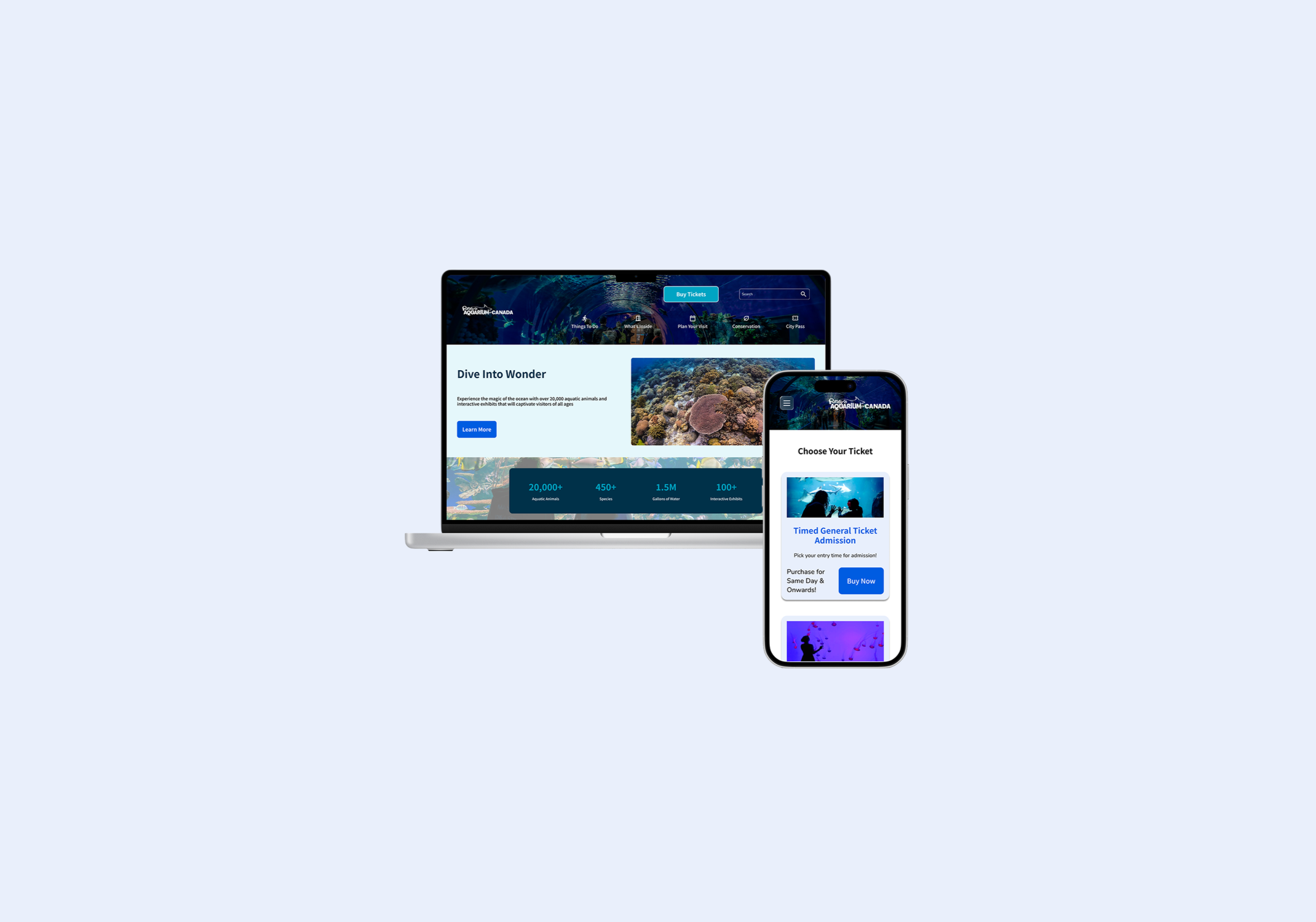
Ripley’s Aquarium
A fragmented navigation actively damages a premium brand's reputation and ticket sales.
I established a design system that is conversion-driven and tells a premium story. By creating a responsive behaviour map and a strict accessibility matrix, I eliminated developer guesswork and ensured a predictable, legally compliant experience across all devices.
The Company
Ripley’s Aquarium of Canada is a premier attraction in Toronto. It serves as a major destination for local families, international tourists, and educational school groups. The aquarium operates on a model that demands high-volume ticket sales and efficient queue management. The digital platform is the primary place where visitors view ticket availability and complete the reservation process.
The digital experience has a direct impact on the bottom line. Most customers arrive at the site with a specific intent. They want to buy a ticket for a specific time slot, and they often do this while they are on the move. The site also acts as a critical touchpoint that builds trust before the visitor ever arrives at the doors. Any friction results in lost revenue.
The Problem Surfaced In Plain Sight
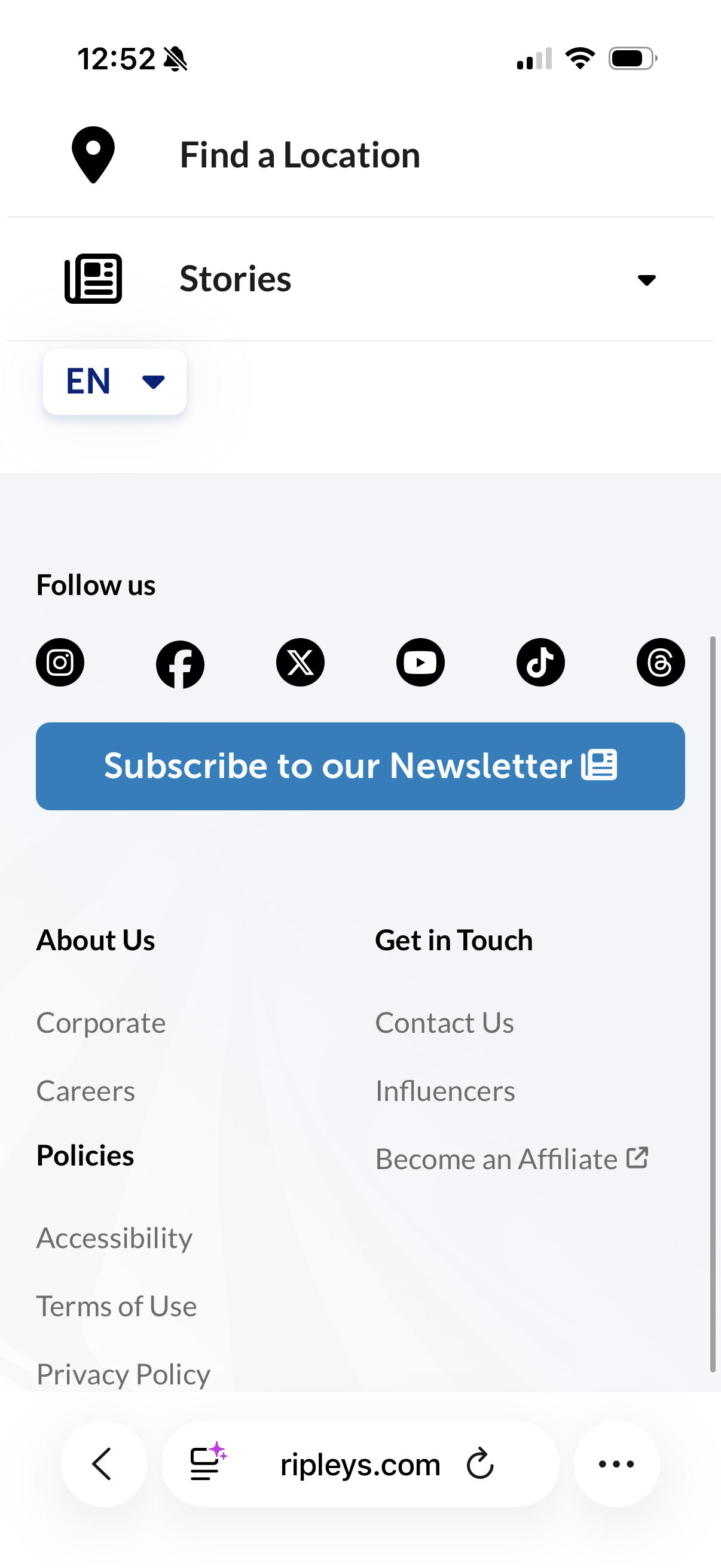
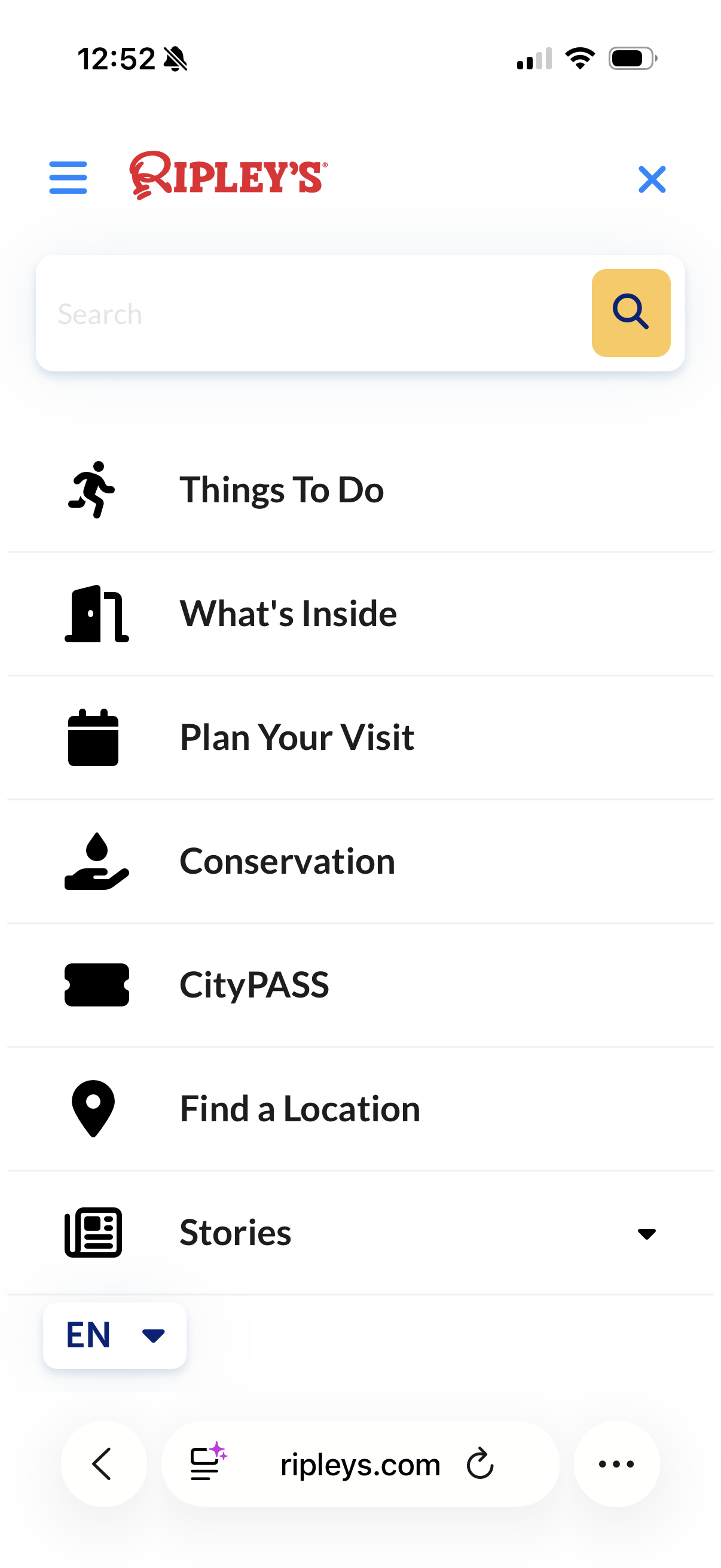
The existing digital presence for Ripley’s Aquarium felt like a collection of disjointed experiences rather than a single, unified platform. The navigation was overwhelmed with competing elements that forced users to expend excessive mental energy just to find basic information. Furthermore, the experience was not uniform across devices. The desktop site lacked essential structural elements, such as a consistent footer, which forced a broken journey compared to the mobile version. When a digital interface lacks cohesion, it naturally erodes the trust that a visitor should have in a world class attraction. My goal was to move away from this fragmented approach and build a system where every interaction feels intentional.
The Audit & Process
My design process began with a walk through the legacy site. It was immediately clear that every single pixel was fighting for the attention of the user. It felt loud and disjointed. I realized that when every element screams for attention, the user effectively hears nothing. I decided to strip everything back to the basics because a design that tries to say everything at once is a design that fails to communicate.
My response was to build a quiet system. I leaned heavily into whitespace and consistent typography to create a sense of calm. This allowed the content to breathe. I limited the color palette so that the "Buy Tickets" button would not just sit on the page, but stand out as the singular, undisputed destination for the user. If every element is bright, then nothing is truly important
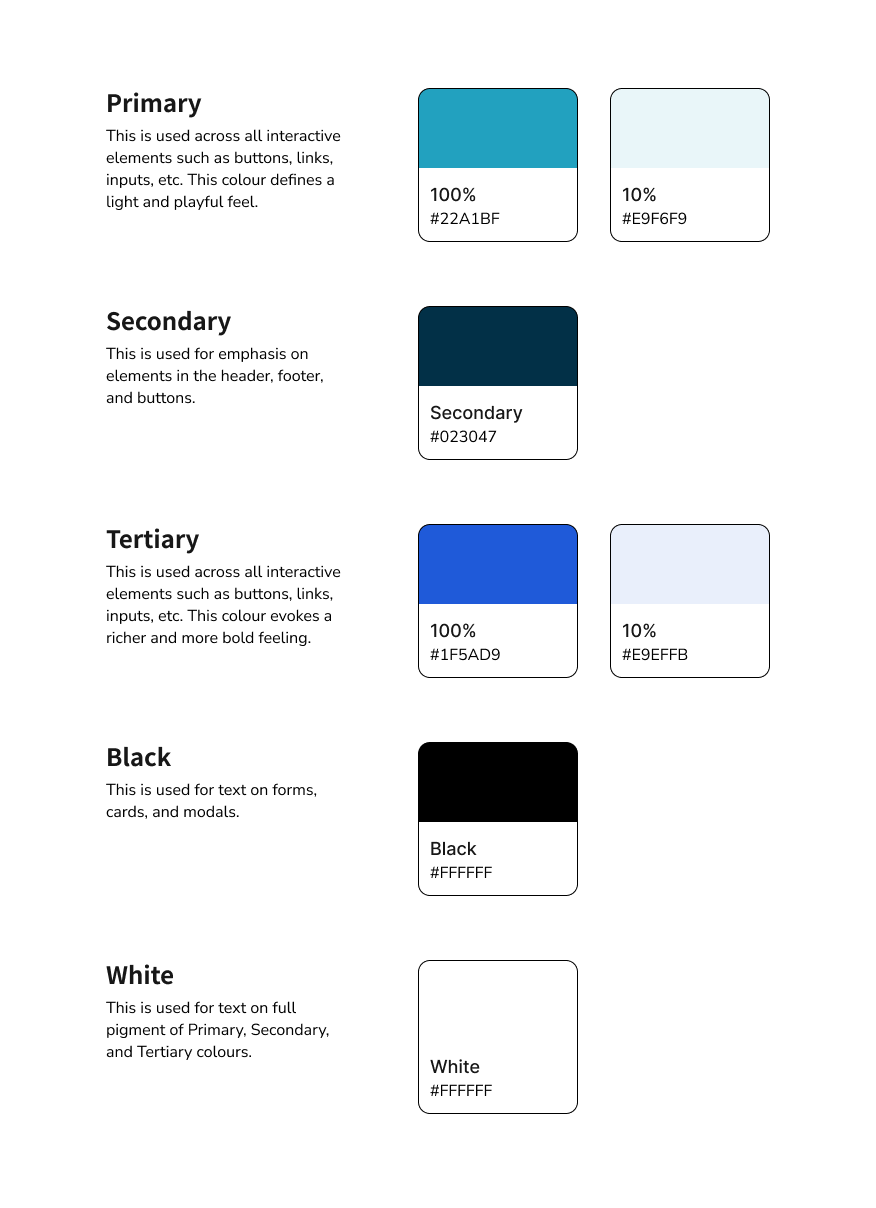
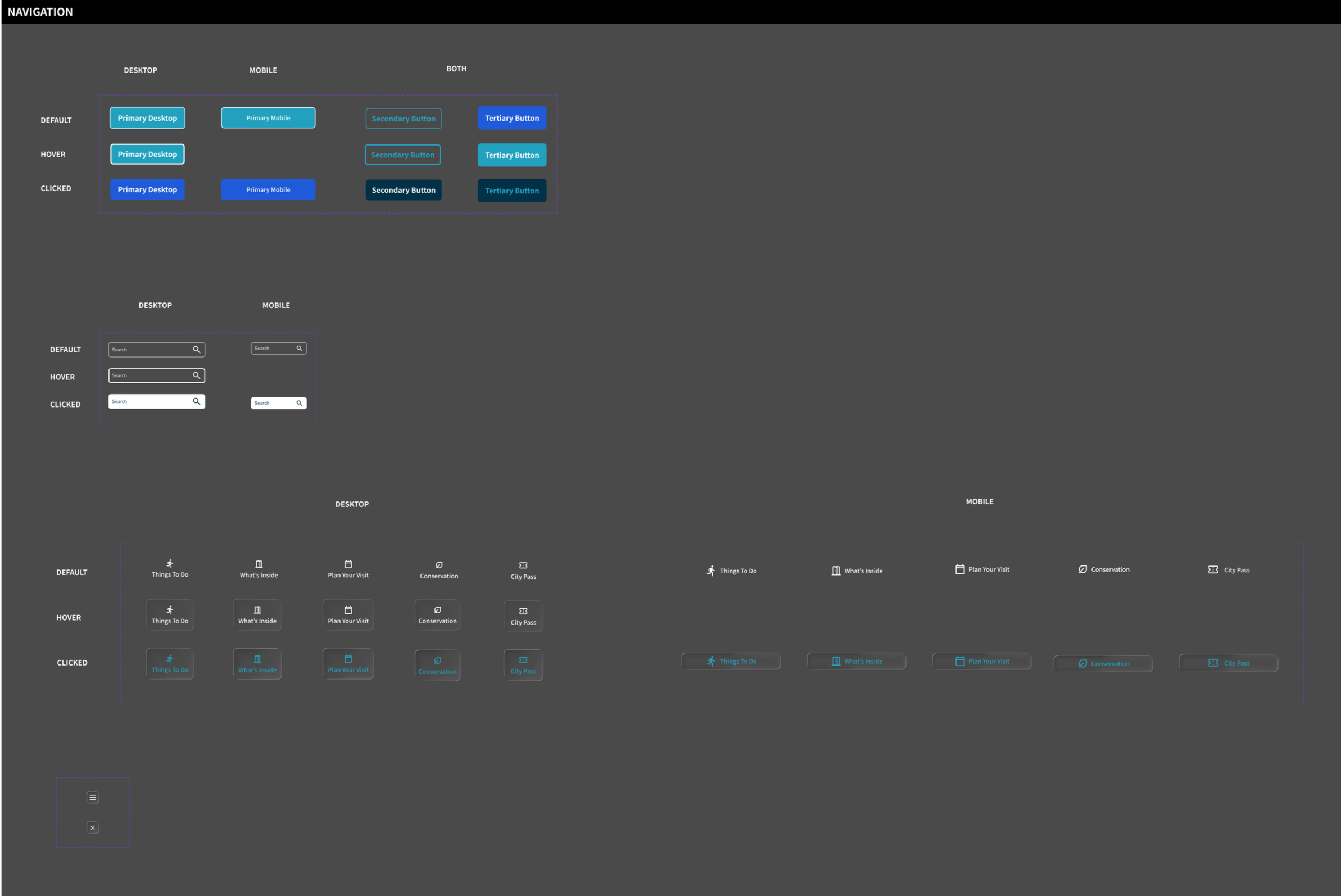
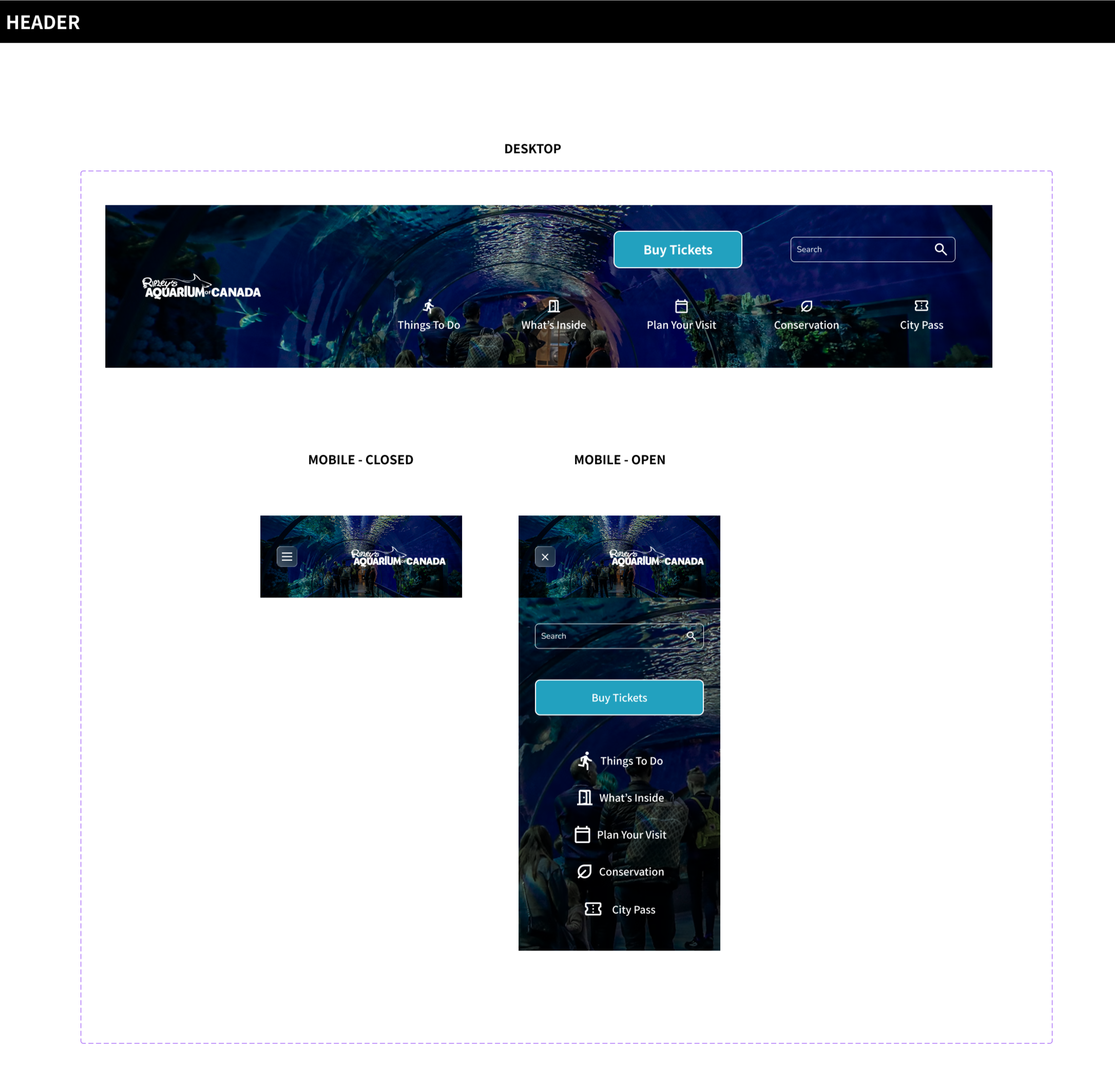
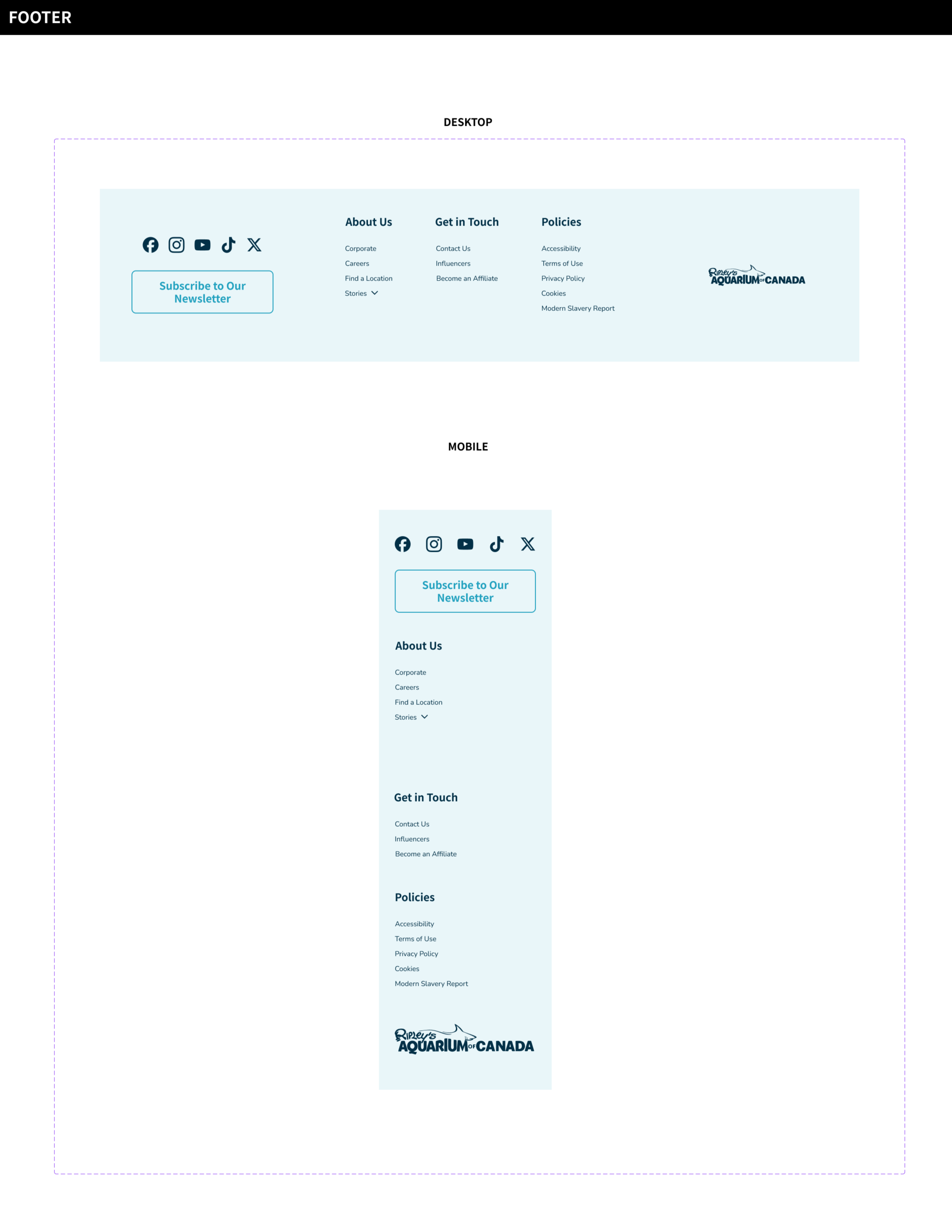
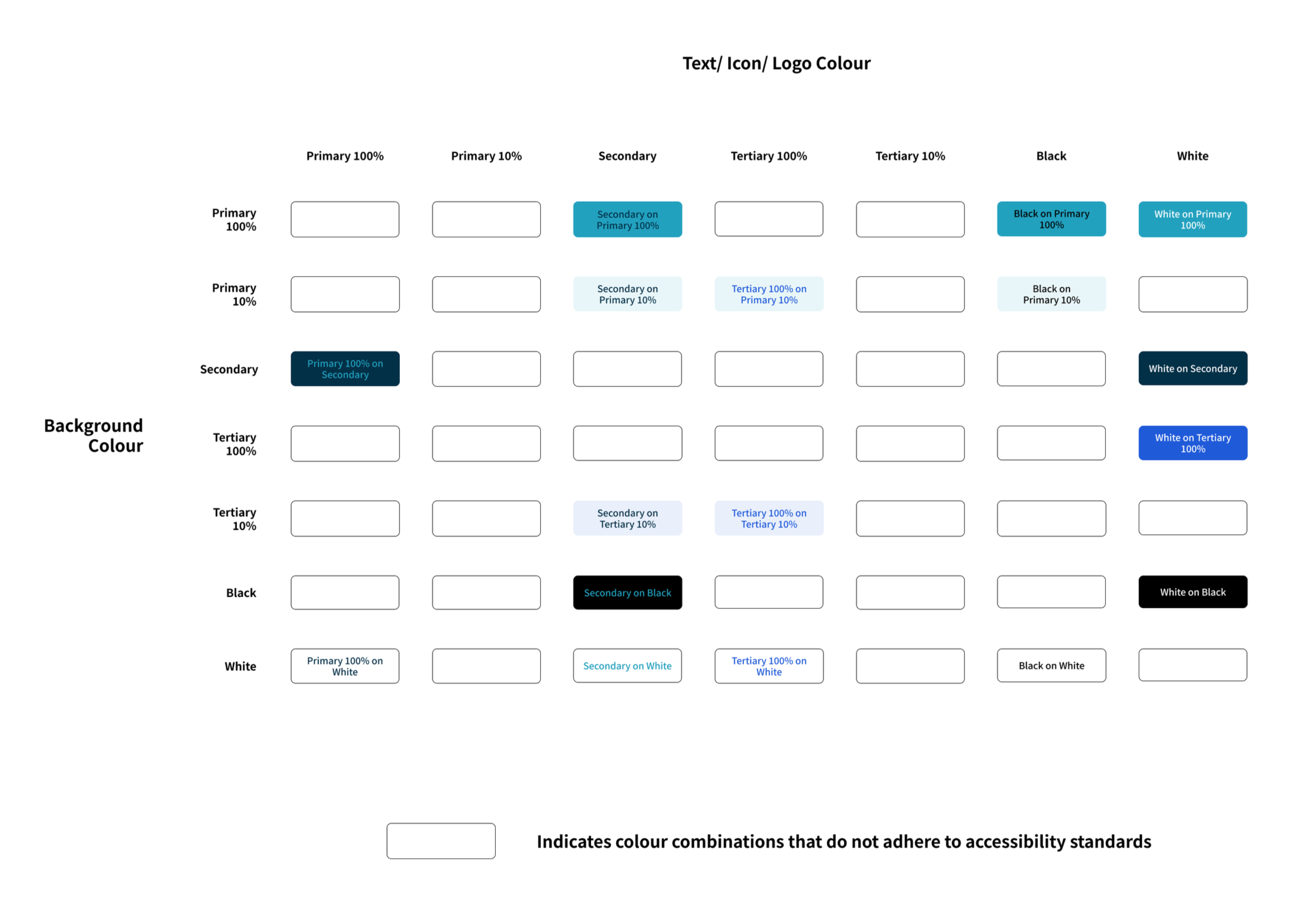
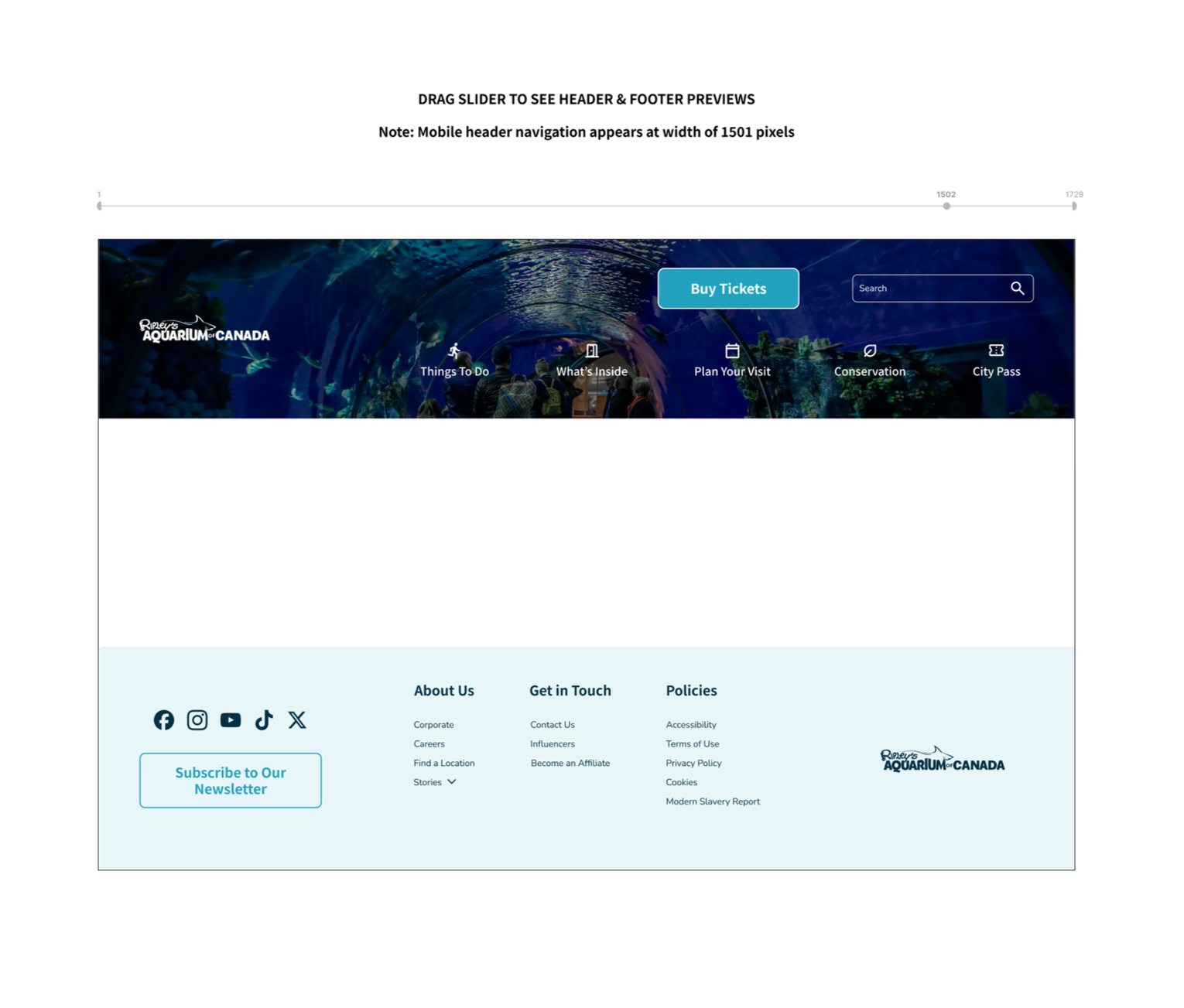
I also included supplementary information in my design system to help a designer quickly understand colour pairings and desktop to mobile header and footer transitions.
Accessibility Matrix: I developed supplementary documentation to streamline the design process and facilitate a smoother developer handoff. A central part of this is a color contrast matrix. This chart provides an immediate reference for which foreground and background combinations meet accessibility standards. It eliminates any guesswork during the design phase.
Responsive Behaviour Mapping: I also included a responsive behavior map for the global headers and footers. This documentation shows exactly how elements shift and stack as the screen size changes across various breakpoints. By defining these transitions early, I reduced the potential for technical debt and ensured that the engineering team has a clear blueprint for implementation. It is about making the transition from a Figma file to a live product as seamless as possible.
The Result
The redesigned Ripley’s design system focuses on four pillars. By standardizing components and prioritizing the ticket sales funnel, the system reduces user friction and development costs. It transforms the website from a simple information hub into a high-performance business tool that justifies premium pricing through visual consistency and accessibility compliance.
1. Conversion-Focused Navigation
A website for an aquarium has one primary job. It must sell tickets and memberships. I implemented an icon and label pairing system to reduce cognitive load across all devices. This is vital for a parent who is likely distracted while trying to book a visit. By keeping the "Buy Tickets" button in a fixed, high-contrast location, I removed the need for the user to search for the next step. The search bar sits right where users expect it in the top right corner. However, it only bolds upon interaction, which intentionally keeps the spotlight on the adjacent buy button. Thinking is the enemy of buying. A frictionless path to the checkout page is the most direct way to increase revenue.
2. Market Expansion through Accessibility
Accessibility is often treated like a chore or a legal requirement. I view it as a massive business opportunity. I tested all color pairings against WCAG contrast standards to ensure that the site is usable for everyone. This includes the millions of people with visual impairments or motor issues. If a potential customer cannot navigate the site with a screen reader, they will take their money to a competitor. This design system ensures that we do not leave that segment of the market behind.
3. Operational Efficiency and Scalability
Designers and developers should not have to reinvent the wheel for every new shark exhibit or holiday event. I built a comprehensive library of components that covers buttons, forms, cards, and navigation. This system reduces the time to market for new promotional pages. In a fast-moving entertainment industry, moving from a three-week development cycle to a three-day cycle saves an immense amount of money on labor. It allows the team to focus on high-level strategy instead of pushing pixels.
4. Brand Trust and Storytelling
Consistency builds authority and justifies a premium price point. I used a constrained color palette to create a high-end feel that matches the physical prestige of the aquarium. I also included a "glass effect" on the navigation bars. This is not just a visual gimmick. It acts as a bridge between the digital interface and the physical reality of tapping on an aquarium tank. It creates a cohesive brand story that makes the visitor feel like their experience has already begun before they even walk through the front doors.